
Easy Print strips the clutter before it hits paper. Click the icon, pick the tab you want, drop the ads and images you don't — then print only what matters. Less ink, less waste, every time.
Easy Print is a free browser extension that provides access to convenient print features. On Safari and Chrome, it updates your new tab page. On Firefox, it also updates your search to Yahoo! - this is changeable anytime. By continuing you acknowledge the Terms of Service and Privacy Policy , and that you may receive additional optional search offers.
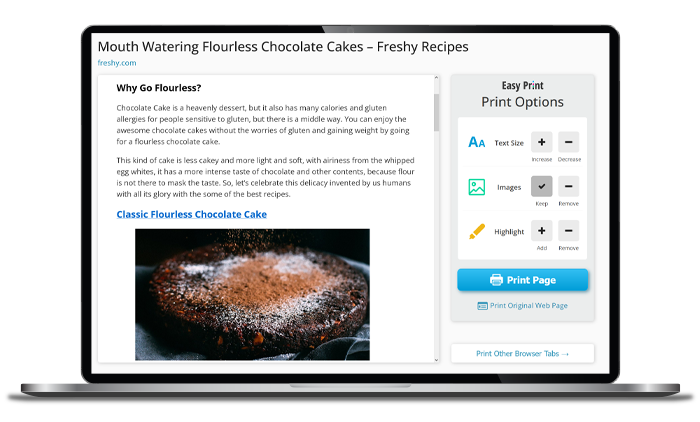
 Clean View
 Ink saved!
A tiny extension that does three big things — so what comes out of the printer is exactly what you wanted.
Preview any page in a tidy, reader-friendly layout. Remove images and ads with a click so you print the content, not the clutter.
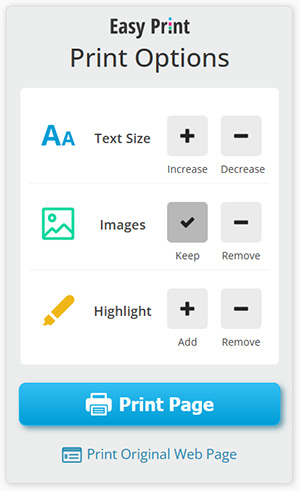
Bump the text size up or down, keep or drop images, and highlight the lines that matter — all before a single page prints.

Pick a page from your open tabs and print it straight away — or print the original web page anytime with one tap.
Click the Easy Print icon and choose the page or tab you want to print.
Remove images and ads, adjust the font size, and highlight what counts.
Send a clean, ink-friendly page to your printer — that's it.
Why waste ink on banner ads and giant photos? Easy Print gives you simple controls to shape the page so it prints exactly the way you want.
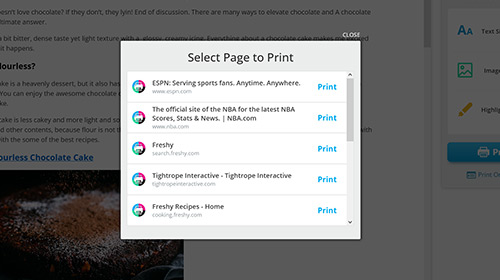
No need to switch windows. Easy Print lists your open tabs so you can print a recipe, an article, or a receipt without leaving what you're doing.
Yep — totally free to install and use. It's supported by optional search offers, not a subscription.
Chrome, Firefox, and Safari. Just tap your browser on any button above.
On Safari and Chrome it updates your new tab page; on Firefox it also sets your search to Yahoo!, which you can change anytime. Full details are in the note under the buttons.
Before you print, Easy Print lets you remove images and ads and trim the page down to just the content you need — so you use less paper and less ink.
Add Easy Print and print any web page exactly the way you want — minus the clutter.
Easy Print is a free browser extension that provides access to convenient print features. On Safari and Chrome, it updates your new tab page. On Firefox, it also updates your search to Yahoo! - this is changeable anytime. By continuing you acknowledge the Terms of Service and Privacy Policy , and that you may receive additional optional search offers.


Click 'Add to Chrome'
to continue

Click Yes to update your search engine
 Add to Chrome
free & 1-click
Add to Chrome
free & 1-click
 Firefox
 Safari